> For the complete documentation index, see [llms.txt](https://docs.dreamerland.ai/llms.txt). Markdown versions of documentation pages are available by appending `.md` to page URLs; this page is available as [Markdown](https://docs.dreamerland.ai/image/in-context-transfer.md).

# In-context transfer

In-Context Transfer allows users to edit images intelligently by leveraging the context of existing visual elements. By using a reference image, users can seamlessly integrate new elements or modify existing ones, ensuring that changes are harmoniously blended into the overall composition.

### **How to use**

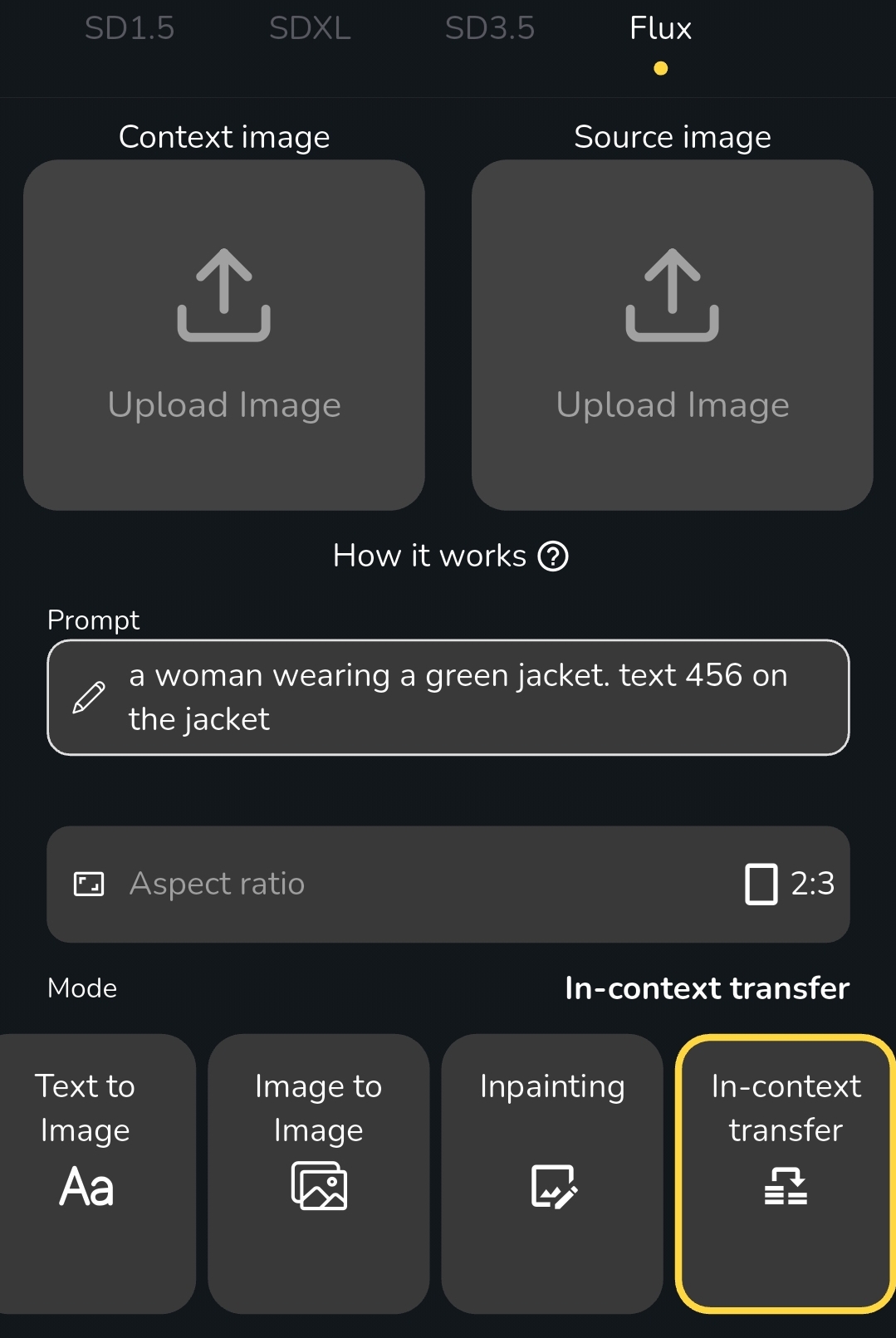
<figure><img src="/files/J3YGX9C27yHNkcvfgdOT" alt="" width="375"><figcaption></figcaption></figure>

* **Go to Flux model and select In-context transfer mode**
* **Upload Your Source Image**: Start by selecting the image you’d like to modify.&#x20;
* **Choose a Context Image**: Select an image that represents the style or elements you wish to incorporate.
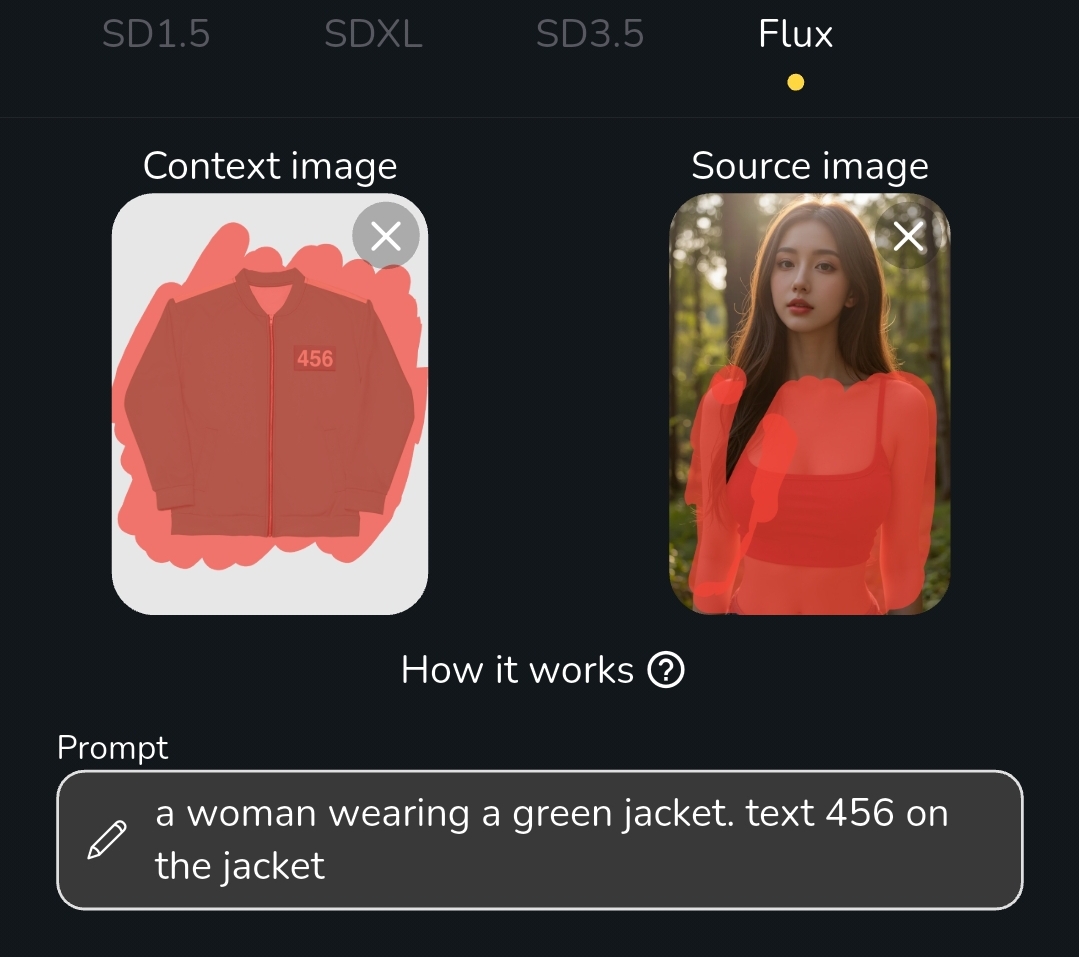
* **Draw the Inpainting Area**: Highlight the section of your source image where you want to apply the inpainting.
* **Draw the area that you want to transfer:** Highlight the section of your context image where you want to transfer to the source image
* **Enter the prompt to describe your desired output, it also work if you leave it blank**

<figure><img src="/files/hxFipsgua016DhlXGDzA" alt="" width="375"><figcaption></figcaption></figure>

Hit the Start Drawing button and wait for the result:

<figure><img src="/files/bsL1oaJtTHZAfiJxUae9" alt="" width="375"><figcaption></figcaption></figure>

### Other examples


<figure><img src="/files/UyQycBR609c2rIm9fcpU" alt=""><figcaption></figcaption></figure>

It also work on anime image


<figure><img src="/files/JfnQ2MjyEWaug82ng5KD" alt=""><figcaption></figcaption></figure>

You can transfer anything

<figure><img src="/files/JxGWTE2YCXV3yqrztMMP" alt=""><figcaption></figcaption></figure>


---

# Agent Instructions
This documentation is published with GitBook. GitBook is the documentation platform designed so that both humans and AI agents can read, navigate, and reason over technical content effectively. Learn more at gitbook.com.

## Querying This Documentation
If you need additional information that is not directly available in this page, you can query the documentation dynamically by asking a question.

Perform an HTTP GET request on the current page URL with the `ask` query parameter:

```
GET https://docs.dreamerland.ai/image/in-context-transfer.md?ask=<question>
```

The question should be specific, self-contained, and written in natural language.
The response will contain a direct answer to the question and relevant excerpts and sources from the documentation.

Use this mechanism when the answer is not explicitly present in the current page, you need clarification or additional context, or you want to retrieve related documentation sections.