> For the complete documentation index, see [llms.txt](https://docs.dreamerland.ai/llms.txt). Markdown versions of documentation pages are available by appending `.md` to page URLs; this page is available as [Markdown](https://docs.dreamerland.ai/image/regional_prompt.md).
# Regional Prompt (color mask)
Control image composition in one generation
**What is regional prompt?**
It is a tool that allows you to specify different prompts for different regions.
**Why use a regional prompt?**
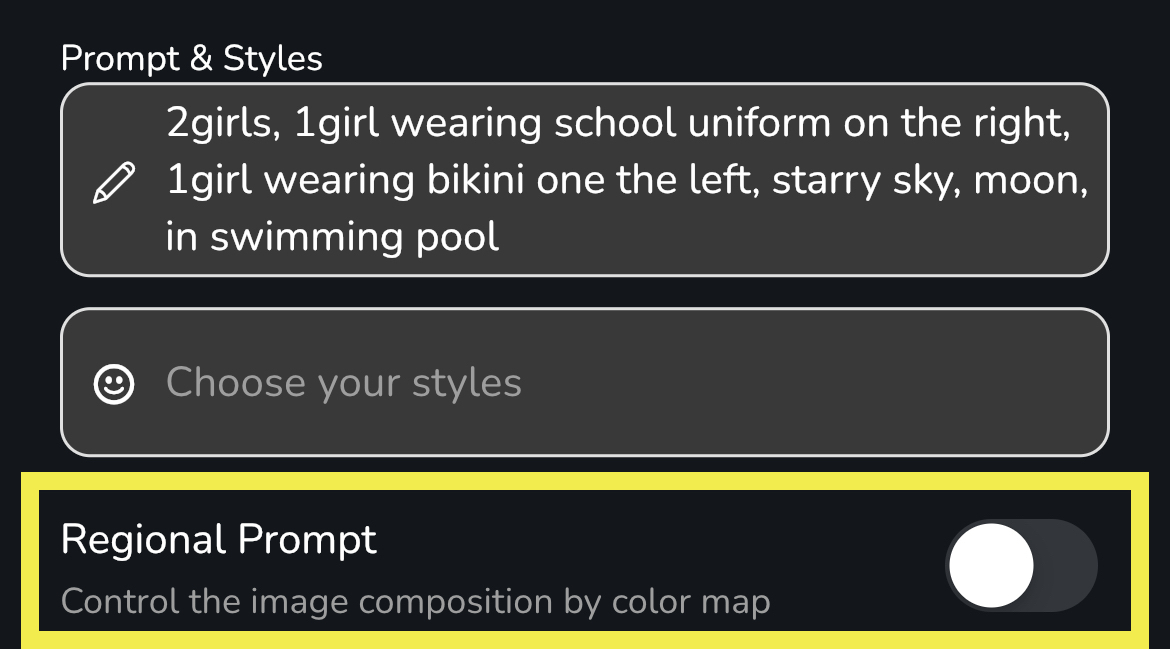
Have you ever found it difficult to create multiple subjects in a single image? Here is an example:
try to generate a image with 2 girls. one girl with school uniform on the left. another one with bikini on the left
You will probably get the result below with the above prompt. The resulting image is definitely not what we are thinking of.
Regional prompt is your helper. We can specify different prompts for the girl on the left and the girl on the right using the regional prompt.
**How does it work?**
Enable the regional prompt feature with the toggle. It will take you to a color map page.
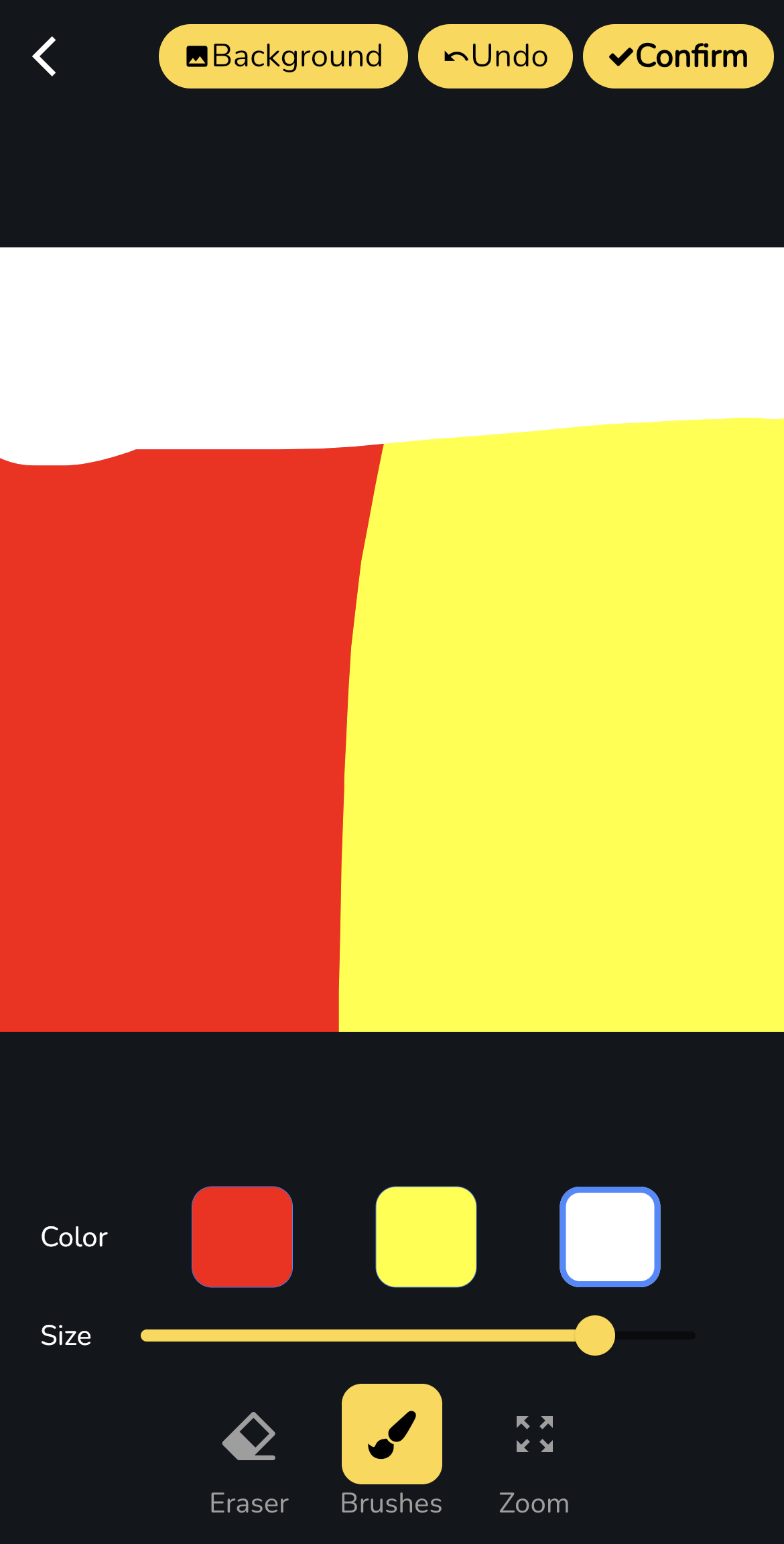
Draw a color map for image composition. For example, we want a girl with a school uniform on the left in the red area, a girl with a bikini on the right in the yellow area, and a starry sky on top in the white area. Here is the color map we drew:
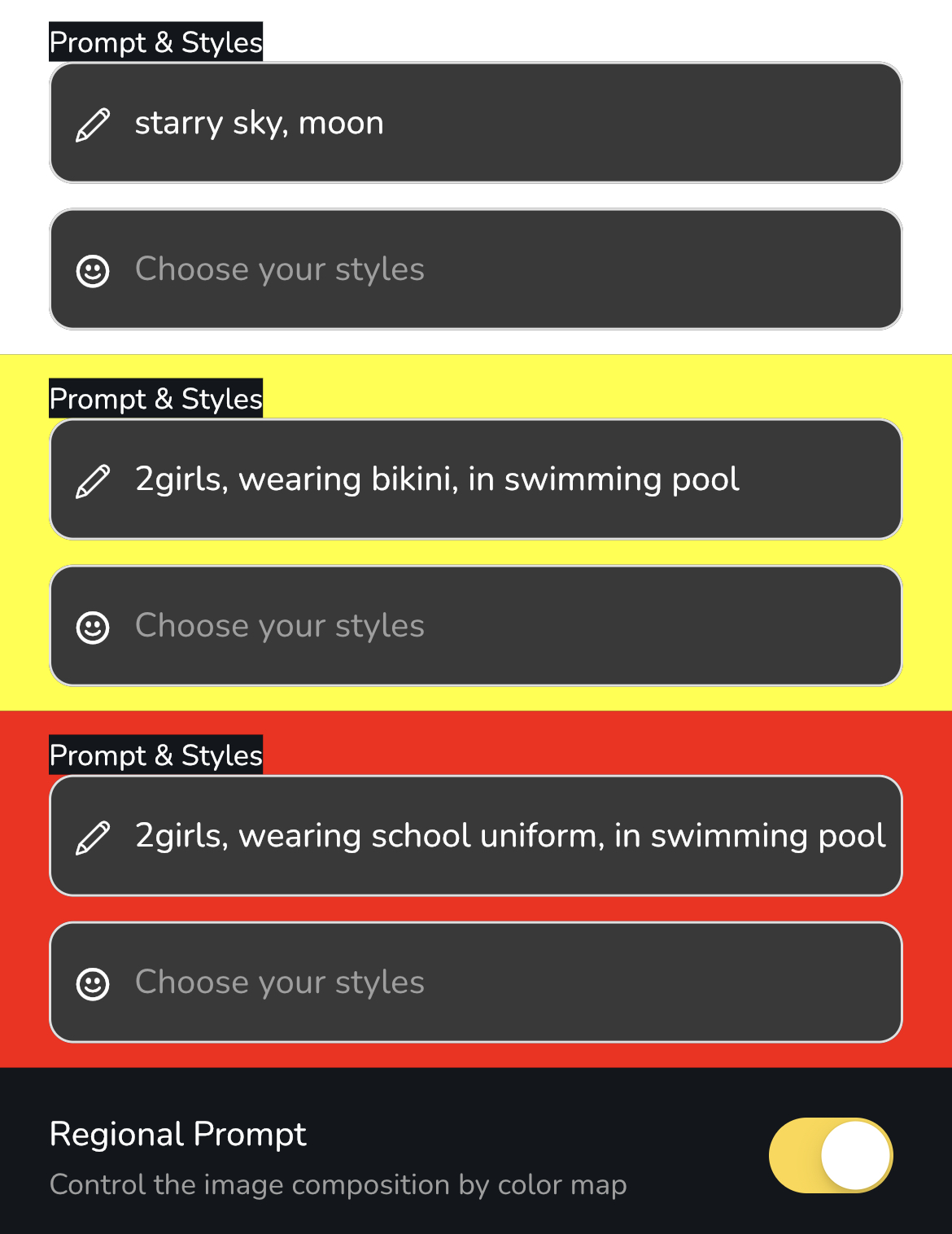
Great! We have a color map now. Let's create a prompt for each area. We enter the prompt for each area as shown below. \**Remember to specify "2 girls" in the prompt; otherwise, it will become "1 girl" wearing half a school uniform and half a bikini.*
Start generating! We have a great image with the correct composition!